


One Line Games: Puzzle Fun
3.94.00 Reviews
App Specs
- Version
- 1.2.5
- Updated On
- License
- Free
- Downloads
- 1,000,000+
- Developer
- JoyPop Games
- Categories
- Trivia
- Platform
- Android
Screenshots
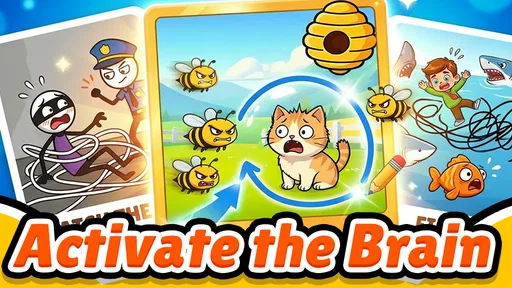
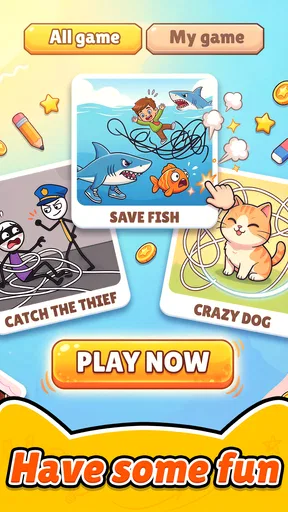
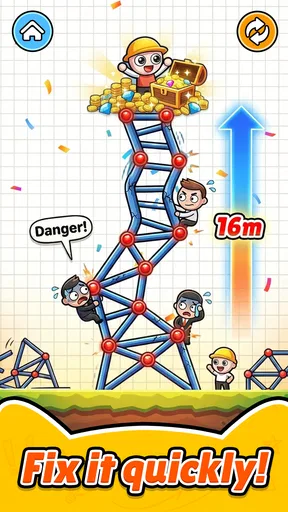
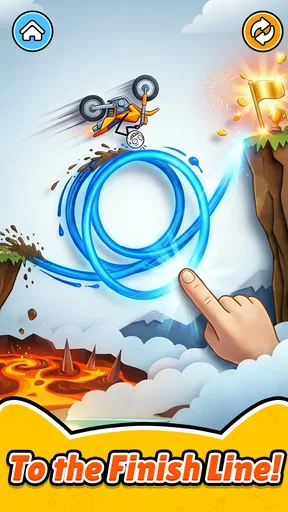
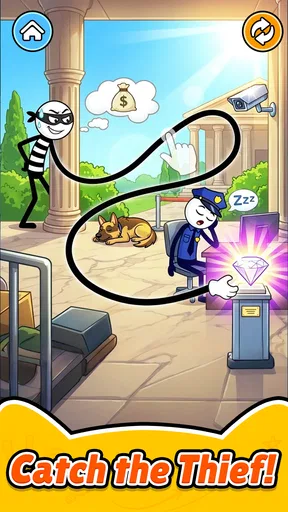
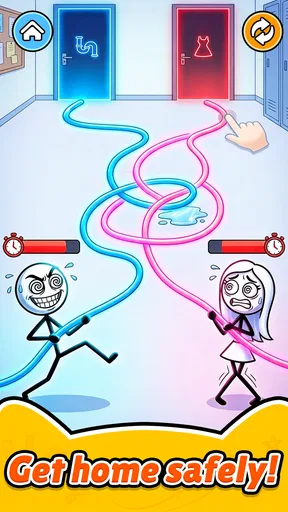
 Analysis by AppCompare
When I share a phone or tablet at home, I look for games that are quick to explain and easy to put down. One Line Games: Puzzle Fun fits that narrow role: it gives one person a visual challenge to work through, then makes it simple in principle to pass the device to someone else. I would think of it as a casual puzzle for spare moments, not as a complete family game with shared profiles, coordinated turns, or a group scoreboard.
That distinction matters in everyday use. If I have a few minutes while dinner is finishing, I can try a puzzle and offer the next turn to someone nearby. If we want a game that keeps everyone involved at once, I would choose a different kind of app. This one is most appealing when each player is happy to take a brief individual turn.
Easy to pass around, best played one person at a time
As a trivia game with a drawing-puzzle focus, it sits somewhere between a brain teaser and a light doodling game. The core idea is approachable: use a line to solve a drawing challenge. That simplicity makes it easy to explain to a child, a visitor, or a relative who rarely plays mobile games. In my view, its strongest household use is as a brief, low-pressure distraction rather than an activity that needs a group to follow rules together.
Picture a short wait at home while dinner is finishing. One person can try a puzzle, pass the phone over, and let the next person tackle it. That works because the basic premise is immediately understandable. It also avoids the need to teach a complicated control scheme before anyone can join in. Still, passing one device around is a practical choice, not evidence of a dedicated multiplayer or family mode.
For shared use, I would keep the handoff simple: agree whose turn it is, and let each player finish or leave a puzzle before passing the device on. That avoids confusion over whose progress is on screen. If several people want to play at once, separate devices or a different game designed for simultaneous group play would be a better fit. This one is more naturally suited to individual turns.
What to settle before sharing a device
The game is free to download, but it includes in-app purchases at $5.99 per item. If children use a shared phone or tablet, I would check the device’s purchase settings before handing it over. That is sensible for any game with paid items, especially when a child may not distinguish a puzzle interaction from a purchase prompt. I would also make clear who is allowed to approve spending, rather than assuming the game itself provides household purchase controls.
I would treat progress and access as belonging to the device and account currently in use unless I had checked otherwise. Avoid promising a child that progress will transfer between devices, or assuming several players can keep separate records. A useful routine is to let one person finish their turn, then return to the home screen or close the game before the next person starts. That small boundary can prevent accidental changes or one player continuing another’s session.
Worth Reading Before You Choose

Baby Panda World Brings Quick Play to Modern Phones, but Its Game Library Feels Busy

ESPN’s Live Game View Makes Following Close Games Easier

QuizzLand Review: A Good Fit for Short Trivia Breaks, Not Every Player

Basketball Stars: Multiplayer Is Fast, but Can It Recover When Matches Go Wrong?

WEBTOON Turns Phone Updates Into a Better Reading Routine

Link to Windows Runs on Shared Habits, Not Social Feeds
One practical tip is to keep play sessions short when sharing a device: a single puzzle or a few attempts each makes it easier to hand the screen back without an argument about who is next. If someone wants uninterrupted play, give them a dedicated turn rather than interrupting midway through a challenge. These are household habits, not special features, but they make a simple one-player puzzle game easier to share.
What the drawing format does well—and where it can snag
The line-drawing premise has a useful advantage over quiz games that depend on broad general knowledge: a player can engage with the puzzle without needing to know facts about sport, history, or pop culture. It also differs from open-ended drawing apps, where the goal is to make something expressive. Here, the drawing is a means of solving a challenge, so the appeal comes from figuring out what the game expects rather than producing polished artwork.
That distinction matters if you are choosing an activity for mixed ages. A confident reader may enjoy reasoning through a puzzle, while a younger player might need help understanding the prompt or deciding what counts as a successful line. I would sit alongside a younger child for the first few turns and let them do the drawing themselves. That keeps the game collaborative without assuming it has a child-specific setting or guided teaching mode.
The trade-off is that a minimalist interaction can become frustrating when a player cannot tell whether the difficulty lies in the idea or in the drawing gesture. A touch screen can make a line feel imprecise, particularly for someone who prefers buttons or a stylus. If a puzzle seems stubborn, I would pause and reconsider the instruction rather than repeatedly making tiny adjustments without a plan. Players who dislike trial-and-error may prefer a word quiz or a more structured logic game.
Compared with typical trivia apps, this is less about recalling answers and more about interpreting a visual task. Compared with standard puzzle collections, its drawing mechanic gives each challenge a more hands-on feel. Neither comparison makes it automatically better: someone seeking a broad bank of knowledge questions, competitive scoring, or a group quiz should look elsewhere. The best match is a player who wants a compact visual problem and does not mind working it out through simple touch interaction.
Age suitability and a sensible trust check
The game is rated for Everyone, which makes it broadly suitable by content age classification. I still would not treat that rating as a substitute for adult judgement about screen time, purchases, or whether a particular child gets frustrated by puzzles. With a shared family device, an adult can introduce the game, explain that purchases need permission, and see whether the drawing challenges suit the child’s reading and patience level.
JoyPop Games is the developer, and the game has an average rating of 3.9 from around 2,200 ratings, with 1 million or more installs. I read that as a sign that it has reached a substantial audience while leaving room for mixed experiences. A rating can help set expectations, but it cannot tell you whether its particular puzzle style will click with your household. I would try a short session before deciding whether it deserves a regular place on a shared device.
The release date is May 21, 2026, and the current version is 1.2.5. It requires Android 7.0 or later, so checking the device’s Android version before trying to install it is a practical first step. That is especially useful with an older spare phone or tablet kept for children: a game that sounds suitable is not useful if the device does not meet its system requirement.
Who will enjoy it, and who should pass
I would recommend it to someone who likes quick visual puzzles, wants an easy game to explain to a casual player, or needs a low-commitment option for a short break. It may also work well as a quiet shared-device choice when players are happy to take turns and solve challenges individually. The free entry point makes it easy to try, though I would still establish purchase boundaries before children play.
I would skip it if the main goal is a lively family competition, several people playing at once, or a trivia game built around factual questions. It is also a weaker choice for anyone who finds touchscreen drawing awkward or wants a clear separation between each household member’s progress. In those situations, a conventional quiz, a multiplayer party game, or a puzzle app with explicitly separate player profiles would be a more suitable alternative.
A practical household verdict
My overall view is that One Line Games: Puzzle Fun is easiest to appreciate as a simple, turn-based puzzle on a phone or tablet. It gives a household an approachable drawing challenge without requiring everyone to share the same interests or know the same trivia. Its limits are equally important: do not assume simultaneous play, separate accounts, family controls, or a polished group experience. Treat it as one person’s puzzle at a time, set clear purchase expectations, and see whether the drawing mechanic feels satisfying rather than fiddly.
For a brief pause between chores, a calm waiting moment, or a few turns with someone curious about visual puzzles, I think it is worth trying. For a planned game night or a household that needs individual profiles and coordinated multiplayer, I would choose something built for that purpose instead. That distinction is the key to deciding whether this small drawing game belongs on your shared device.
A better fit for short gaps than scheduled play
I would use it in the small pauses that are too short for a story-driven game but long enough to focus on one visual problem: waiting for a meal, sitting between errands, or taking a screen break from work that still needs a little attention. The useful household trick is to agree on a natural stopping point before opening it. A player can then finish the current attempt and hand the device over without needing to remember a complicated stopping routine.
That approach also helps when children and adults share the same screen. Rather than framing the game as a reward that can stretch indefinitely, I would make the turn itself the limit: one person gets a short go, then the device returns to its usual owner. It keeps the game in the role it handles best, a small diversion, and avoids relying on controls or timers that I cannot assume it provides.
How I would judge a puzzle that feels awkward
When a line puzzle does not click, I would separate two questions: do I understand what the challenge is asking, and can I make the intended gesture comfortably on this screen? That simple check can prevent a younger player or a less confident mobile gamer from taking a touch-control stumble as proof they are bad at puzzles. I would read the prompt together, let them describe their idea before drawing, and then give them the device to try it themselves.
There is a trade-off in that helpful simplicity. A drawing-based task can feel satisfying when the visual idea is clear, but the same minimal input may leave little comfort for someone who wants hints, step-by-step instructions, or a precise control method. If a player is repeatedly frustrated by the gesture rather than interested in solving the puzzle, I would switch to a button-based logic game instead of turning the session into coaching.
Choosing it over another casual game
For a household choosing between this and a conventional quiz, the deciding question is whether people would rather interpret a picture or recall facts. This game is the more approachable pick when players have different interests or knowledge, because its appeal is not built around knowing the same topics. A standard quiz is the better choice when everyone wants to answer out loud, compare knowledge, and keep a group conversation moving.
Against a general drawing app, the distinction is purpose: here, drawing is part of solving rather than an open canvas for making art. That gives the session a clearer task, but it is not a replacement for a creative app or a party game where everyone contributes at once. I would choose it for a quiet individual turn, and choose those alternatives when the household wants expression, competition, or shared action.
Keeping expectations clear for children
For a child who asks to play, I would first check that the device meets the Android requirement, then explain the household rule around purchases before handing it over. The game is free to start, but paid items make that conversation worthwhile; a device-level purchase restriction can add a practical safeguard. I would also watch how the child responds to the puzzle instructions rather than relying on the age classification alone. “Everyone” is useful context, but it does not tell me whether a particular child will find the task readable or enjoyable.
For adults sharing a device, I would avoid treating a saved session as a personal account unless I had confirmed how progress is handled. A simple handoff—finish a turn, close or leave the game, and tell the next person whose session is open—keeps expectations modest. If individual records or continuity across devices are important, a game with clearly separate player profiles is the safer choice.
Overall, I see this as a reasonable try for a household that wants an uncomplicated visual puzzle and accepts one player at a time. Its appeal is the low barrier to understanding what to do; its limitation is that the same simplicity does not make it a coordinated family activity. I would install it for short, informal turns, set clear spending boundaries, and keep another option ready for game night or for anyone who prefers factual quizzes, simultaneous play, or more precise controls.
Pros
- Simple one-touch controls make it easy to start playing.
- Short puzzles fit well into quick breaks.
- A clean visual style keeps the focus on each puzzle.
- Gradually trickier levels provide a steady challenge.
- No complex rules or lengthy tutorials to learn.
Cons
- Some solutions may feel trial-and-error rather than logical.
- Later puzzles can become repetitive in their one-line format.
- A small screen may make precise drawing less comfortable.
- Hints or help may be limited when a puzzle feels difficult.
- Ads or in-app offers may interrupt the flow
- depending on the version.
FAQs for One Line Games: Puzzle Fun
What is One Line Games: Puzzle Fun?
One Line Games: Puzzle Fun is a casual puzzle game built around drawing a single continuous line to complete challenges. The puzzles generally ask you to connect points or follow a target shape without lifting your finger or retracing a line, so planning the route matters. It is designed for short play sessions and can suit players who enjoy simple rules paired with gradually more demanding spatial puzzles.
How do you play One Line Games: Puzzle Fun?
Read the level’s layout, then trace a route through the required points or lines in one uninterrupted stroke. Depending on the puzzle, you may need to avoid crossing a segment twice or satisfy another visual rule shown on the screen. If a route does not work, you can try again and approach the board differently. The controls are straightforward, but later layouts can require some careful trial and error.
Is One Line Games: Puzzle Fun free to download and play?
The game may be available to download without an upfront purchase, but that does not necessarily mean every part of it is free. Mobile puzzle games commonly offer optional in-app purchases, advertising, or both, and the exact arrangement can vary by platform, region, and version. Check the listing in Google Play or the App Store for current pricing and purchase details before downloading, and review the store’s information about ads.
Does One Line Games: Puzzle Fun work offline?
Basic puzzle play may be possible without a network connection, but features that depend on online services—such as advertisements, purchases, updates, or certain events—may not work offline. Availability can differ between versions, so do not assume every feature is accessible without internet. If offline play is important, install the game while connected and test it in airplane mode before relying on it during travel or in areas with limited service.
Is One Line Games: Puzzle Fun suitable for children, and what should parents check?
The one-line puzzle concept is generally easy to understand and does not require advanced gaming experience, which can make it approachable for younger players. However, suitability also depends on the app’s current ads, optional purchases, privacy practices, and age rating. Parents should review the official store listing and permissions, use device-level purchase controls where appropriate, and supervise play if advertisements or links to other content are shown.


